FirewallD: firewall daemon
FirewallD architecture
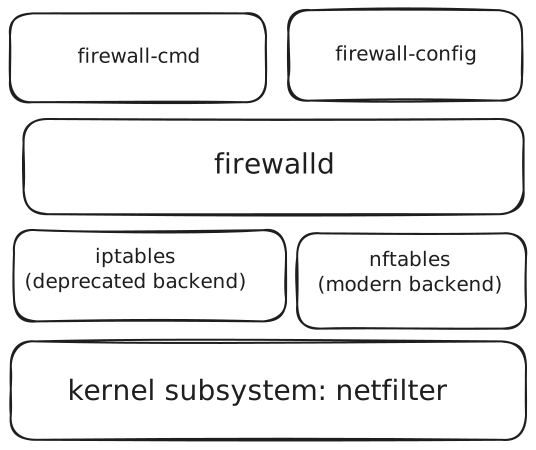
:::info By default:
- All incoming TCP and UDP connections → blocked (except the allowed ones)
- ssh (Port 22)
- dhcpv6 client (udp 546)
- ipv6 enabled by default
- Certian ICMP request are blocked :::
Installing firewalld on ubuntu
- disable ufw on uduntu:
sudo ufw disable - Install firewalld:
sudo apt install firewalld - start and enable: `sudo systemctl enable --now firewalld
Services in FirewallD
List all services
Get info of a service
Services in firewalld
/usr/lib/firewalld/services and /etc/firewalld/services
Firewalld config files
/etc/firewalld
Open and Close services
Accessing web service running on hostname.local
- Enable http or https:
sudo firewall-cmd --add-service=http - enable mdns on server:
sudo firewall-cmd --add-service=mdns - enable mdns on client:
sudo firewall-cmd --add-service=mdns
Make changes persistence in firewalld
Use flag --permanent
Add or remove service permanently
Add or remove port permanently
Zones in firewalld
1 interface in 1 zone
Built in zones
- trusted
- home
- work
- public
- drop
List all available zones
List all rules of a zone
Check config files of zones
Get default zone
Change default zone
Making changes to any firewall zone
:::info Using --zone=[zone-name]
If --zone is not used it will consider default zone :::
Reload firewall config
Checking zone interface
and check the interface line